Rendering layer
A rendering layer is a single image layer that is computed separately from the others and only merged with them at the very end to form a finished image. The principle is found in image editing, film production, map apps, and in the software that displays web pages.
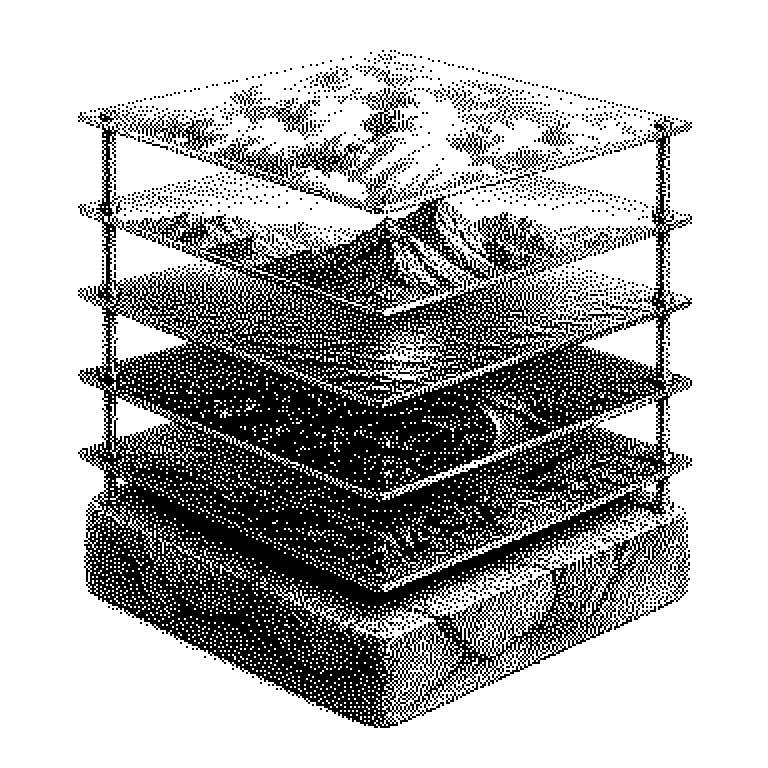
An image on a screen is rarely produced in one single piece. Usually it is assembled from several transparent layers stacked on top of one another, like sheets on an overhead projector. Each of these layers is called a rendering layer. Rendering here simply means: a visible image is computed from a description. On the bottom layer, for example, lies the background, above that the characters, above that text or control buttons. The computer calculates each layer separately and only stacks the results on top of one another at the very end.
Why images are broken down into layers at all
The main reason is efficiency. In a game or an app, usually only a small part of the image changes. Without layers, the computer would have to redraw everything every single time. With layers, it only redraws the layer in which something has moved. The rest is reused unchanged. This saves computing time and thus battery.
The second reason is control. Anyone who wants to change an image afterwards does not want to redo everything. In film production, scenes are therefore computed in separate layers: one for the characters, one for shadows, one for fog, one for reflections. If a director notices that the fog is too dense, only that one layer is adjusted. A complete rerun over all the frames of a film can take days.
A third point concerns division of labor. Different people can work simultaneously on different layers without overwriting one another. AI tools make use of this too: a program replaces the background of a photo while the layer containing the person remains untouched.
From stack to finished image
At its core, each layer is a grid of pixels. In addition to color, each pixel also carries an extra value for transparency. This value determines whether the layer underneath is visible at that spot. If a pixel is fully transparent, everything beneath it shows through. If it is fully opaque, it covers everything beneath it.
The merging at the end is called compositing. The computer goes through the stack from bottom to top and blends the colors according to the transparency values. There are various blending rules for this. A layer can not only cover the one beneath it but also lighten or darken it. This is how effects like glow or shadow are created.
One distinction is important here: a rendering layer is something different from a layer in a neural network, even though both are called “layer” in English. A rendering layer is about image layers, while a neural network layer is about computational stages of a learning system. The two terms have nothing to do with each other.
From the browser to the map app
You encounter layers most directly in image editing programs like Photoshop or GIMP. There you see the stack as a list at the edge of the image and can hide individual layers. Video editing programs work the same way: subtitles sit as their own layer above the film image.
Less visible, but constantly active, is the principle at work in the browser. When a web page displays a menu, the browser often creates a separate layer for it. The graphics card can move this layer on its own, without the page underneath having to be redrawn. That is why such animations appear smooth, even on older phones.
Map services like Google Maps or OpenStreetMap also work according to this pattern. Roads, labels, traffic conditions, and satellite imagery are separate layers. Anyone who turns on the traffic display is only adding one extra layer. In news reports, the term usually comes up when graphics performance is at issue: too many layers cost memory, because each one has to be kept in storage separately.