DirectX
DirectX is a collection of programming interfaces from Microsoft through which games and other programs access the graphics card, sound chip, and input devices of a Windows PC. It saves developers from having to adapt their software to every piece of hardware individually.
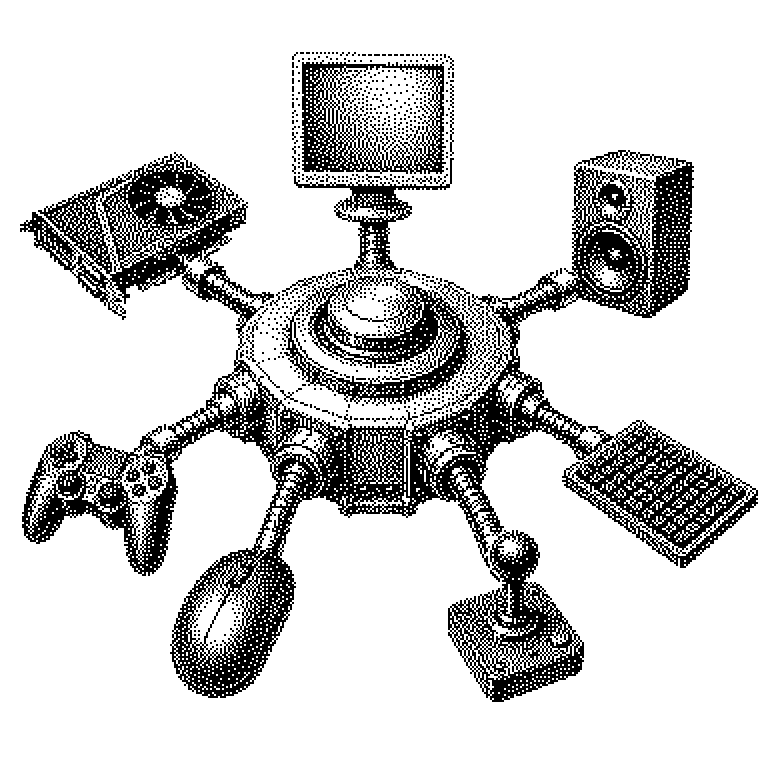
A computer contains many different components: a graphics card for the picture, a chip for the sound, plus a mouse, keyboard, or a gamepad. These parts come from different manufacturers and work very differently on the inside. A game would actually need its own version for every single model. DirectX is a piece of software from Microsoft that prevents exactly that. It sits as a mediation layer between the program and the hardware. A game says, in a uniform language, “draw this triangle,” and DirectX translates that for whichever graphics card happens to be in the machine.
Why games on Windows almost always need DirectX
Without such a mediation layer, PC game development would be practically impossible. There are thousands of combinations of graphics cards, drivers, and Windows versions. A studio simply cannot support all of them individually. DirectX establishes a common set of rules that both games and hardware manufacturers adhere to.
For Microsoft, DirectX is also a strategic tool. Because the interface only runs on Windows and the Xbox, many major games are tied to these platforms. Anyone who wants to play on Linux needs translation programs like Proton, which convert DirectX commands into other interfaces. This very software is also found in Valve’s Steam Deck.
It’s important to distinguish DirectX from its competitors. OpenGL and its more modern successor Vulkan serve a similar purpose but run on multiple operating systems. Apple instead relies on its own Metal. DirectX, then, is not a law of nature but one of several solutions to the same problem.
From the game’s command to the image on the monitor
DirectX consists of several parts. The most important one is called Direct3D and handles three-dimensional graphics. Alongside it are components for sound, for input devices, and for video. When someone talks about DirectX today, they usually mean Direct3D.
The process can be roughly described as follows: The game describes a scene as a list of triangles, textures, and light sources. This description goes to DirectX. DirectX passes it on to the graphics driver, a program made by the graphics card manufacturer. The driver translates everything into the low-level commands of the specific chip. Only then does the graphics card compute the finished image.
A common misconception is that DirectX itself is a graphics program. In fact, it doesn’t compute anything itself — it only issues instructions. The actual computation is done by the graphics card. Newer versions like DirectX 12 deliberately give developers more direct control over the hardware. This brings more performance but demands notably more careful programming than the older DirectX 11.
DirectX in games, drivers, and AI news
The term is most commonly encountered when installing games. Many titles set up DirectX components in the background or require a specific version as listed in the system requirements. It also shows up in graphics settings, for instance when you can choose between DirectX 11 and DirectX 12. If a game runs poorly, switching between them can sometimes help.
In tech news, DirectX is often mentioned alongside features like ray tracing, i.e., the realistic computation of light and reflections. The DirectX Raytracing interface is what made this technology widely usable in the first place. When Nvidia or AMD unveil new graphics cards, support for such DirectX features is a selling point.
The name also crops up in the AI space. Under the abbreviation DirectML, there is a component that makes graphics cards usable for machine learning, i.e., for training and running AI models. The underlying idea remains the same as with games: a uniform interface for very different hardware.